
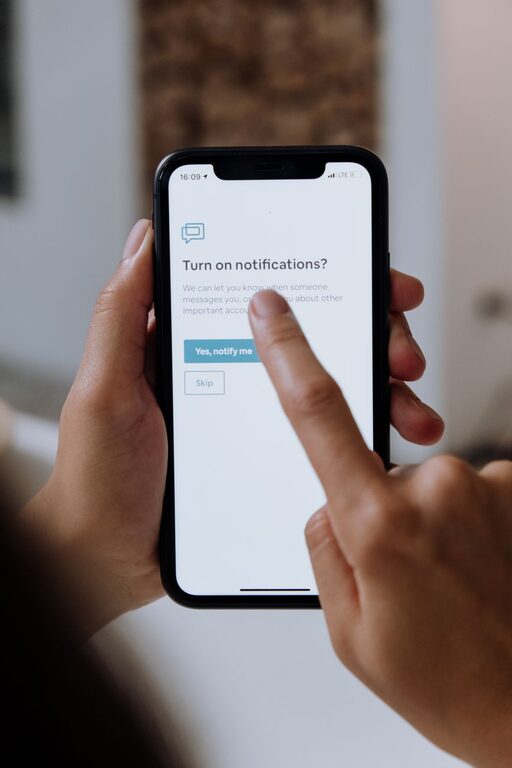
In today’s digital world, notifications are everywhere — from emails and social media to messaging apps and news alerts. While these notifications can keep us informed and connected, they can also become overwhelming, distracting us from work, rest, and meaningful activities. Setting boundaries with notifications is an important step toward managing your time and attention effectively.
This blog post offers practical tips on how to take control of notifications and create a balanced digital environment that supports your productivity and well-being.
Why Setting Boundaries with Notifications Matters
Notifications are designed to grab your attention instantly. This can interrupt your flow, making it harder to concentrate or relax. Over time, constant alerts can increase stress and reduce overall satisfaction. By setting boundaries, you can:
– Improve focus and productivity
– Reduce stress and digital fatigue
– Create clear times for work and relaxation
– Enhance your overall quality of life
Assess Your Current Notification Habits
Before making changes, take a moment to observe your current habits:
– How often do you receive notifications?
– Which apps or devices send the most alerts?
– Do you check your device as soon as you hear a notification sound or see a banner?
– How do notifications affect your mood or workflow?
Understanding your current patterns helps you decide which notifications are truly necessary and which can be limited or silenced.
Tips for Setting Boundaries with Notifications
1. Customize Your Notification Settings
Most devices and apps allow you to fine-tune notification preferences. Explore these settings to:
– Turn off non-essential notifications entirely.
– Choose “silent” or “banner-only” alerts without sounds.
– Prioritize notifications from important contacts or apps.
– Group notifications to reduce interruptions.
This way, you receive alerts that matter while filtering out the noise.
2. Schedule “Do Not Disturb” Periods
Use your device’s built-in “Do Not Disturb” feature during focused work times, meetings, or rest periods. Set specific time blocks where notifications are muted but can still be checked later.
Consider scheduling:
– Work sessions or study blocks
– Meal times or social activities
– Sleep hours to get undisturbed rest
This helps you stay present in each moment without constant distractions.
3. Create Notification-Free Zones and Times
Establish areas or periods where devices are set aside or notifications are silenced, such as:
– The dinner table
– The bedroom
– Family gatherings
– Early mornings or late evenings
This encourages more meaningful interactions and allows your mind to recharge.
4. Use App Limits and Focus Modes
Many phones offer focus tools that combine app limits with notification controls. For example, you can:
– Restrict social media apps to 30 minutes per day.
– Set work mode to allow only work-related app notifications.
– Turn off notifications during specific activities like workouts or reading.
These features support intentional device use aligned with your priorities.
5. Regularly Review and Adjust Your Settings
Technology and habits change over time. Periodically review your notification settings to ensure they still work for you. Remove outdated apps or services that no longer serve you, and adjust alerts as your schedule or preferences evolve.
6. Practice Mindful Notification Checking
When a notification arrives, pause before immediately responding. Ask yourself:
– Is this urgent or can it wait?
– Does responding now align with my current goals?
– Would checking it now disrupt my focus or rest?
Mindfulness can help you respond thoughtfully rather than react impulsively.
7. Inform Others About Your Boundaries
Communicate your notification preferences to friends, family, and coworkers. Let them know:
– The best ways and times to reach you.
– When you expect to be offline or unavailable.
– Preferred methods for urgent communication.
This encourages respect for your boundaries and reduces pressure to respond immediately.
Conclusion
Notifications are an essential part of modern communication, but without boundaries, they can overwhelm and distract us. By assessing your habits and making intentional changes—customizing settings, scheduling quiet periods, and practicing mindful checking—you can gain control over your digital environment.
Setting notification boundaries helps you maintain focus, reduce stress, and enjoy your time both online and offline. Start with small steps today and notice the positive impact on your productivity and peace of mind.